In today’s digital-first world, the term “cloud computing” is everywhere from tech conversations and business meetings to casual chats online.
But here’s the twist: while it sounds futuristic, many people still don’t fully understand what it actually means.
If you’ve ever wondered whether “the cloud” is floating somewhere in the sky (spoiler: it’s not), this guide breaks it down in a simple, relatable, and SEO-friendly way.
By the end, you’ll not only understand the cloud computing meaning, but also how to use it confidently in real-world conversations.
What Does “Cloud Computing Meaning” Actually Mean? (Definition & Origin)
At its core, cloud computing refers to delivering computing services—like storage, servers, databases, networking, and software—over the internet instead of using your local device.
Simple Definition (No Tech Jargon):
Cloud computing = Using the internet to access and store data instead of your computer’s hard drive.
Breaking It Down:
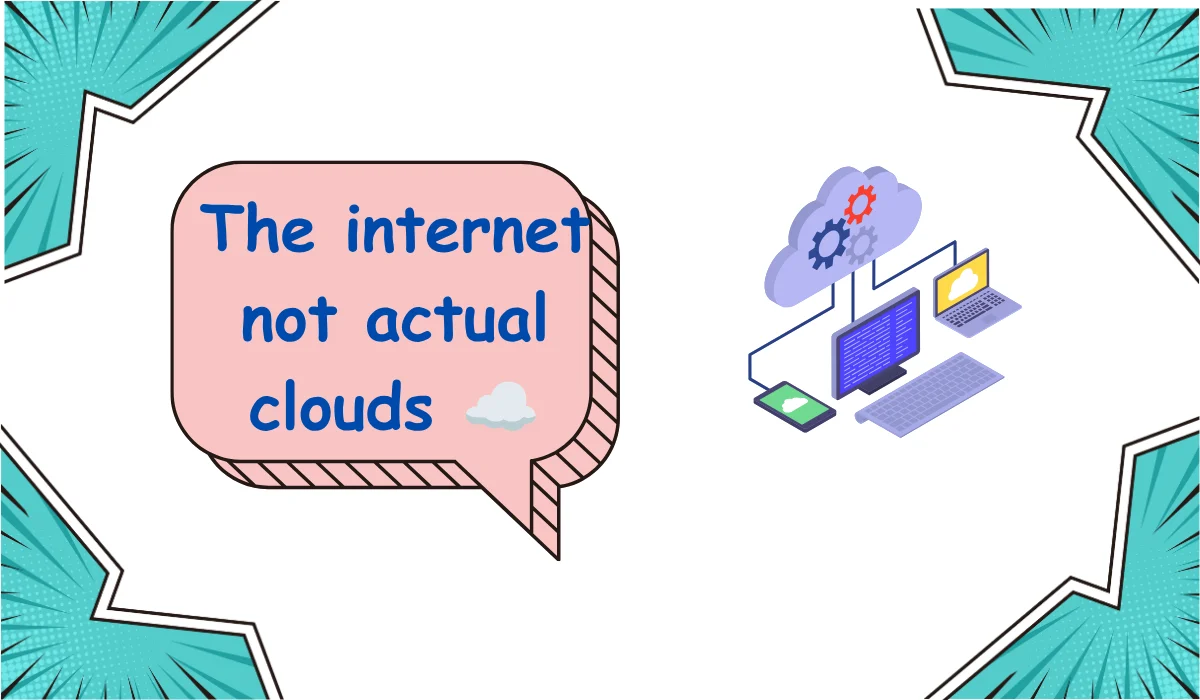
- “Cloud” → The internet (not actual clouds ☁️)
- “Computing” → Processing data, running apps, storing files
So when you use cloud computing, you’re basically renting digital resources from powerful remote servers.
Where Did the Term Come From?
The idea became popular in the early 2000s, when companies started offering online storage and services. The “cloud” symbol was used in diagrams to represent the internet—because its internal workings were too complex to show.
Quick Real-Life Example:
- Saving photos on Google Photos
- Using Dropbox to store files
- Streaming movies on Netflix
👉 All of these use cloud computing without you realizing it.
How Cloud Computing Works (Simple Explanation)
Cloud computing works through a network of remote servers hosted on the internet.
Basic Flow:
- You upload or access data via the internet
- The request goes to a cloud server
- The server processes and sends the result back to you
Types of Cloud Computing Services:
- SaaS (Software as a Service): Apps you use online (e.g., Gmail)
- PaaS (Platform as a Service): Platforms for developers
- IaaS (Infrastructure as a Service): Virtual computing resources
Think of It Like This:
Using cloud computing is like:
- Streaming music instead of downloading MP3s
- Using Uber instead of owning a car
- Renting a house instead of building one
How to Use Cloud Computing in Real Life
Cloud computing isn’t just for tech geeks—it’s part of your everyday digital life.
Common Use Cases:
- Storage: Save files on Google Drive or iCloud
- Streaming: Watch Netflix, YouTube, or Spotify
- Communication: Use email services like Gmail
- Collaboration: Work on shared documents via Google Docs
- Gaming: Play cloud-based games without heavy hardware
Why People Love It:
- No need for expensive hardware
- Access files from anywhere
- Automatic backups
- Easy sharing and collaboration
Pro Tip (2026 Trend Insight):
Businesses are now using cloud computing to:
- Run AI models
- Analyze big data
- Scale operations globally
Examples of Cloud Computing in Everyday Conversations
Let’s make it real with some conversational examples.
Example 1:
Person A: “Where did you save that file?”
Person B: “It’s on the cloud, just check Google Drive.”
Example 2:
Person A: “Do you have that video on your phone?”
Person B: “No, I uploaded it to the cloud.”
Example 3 (Work Context):
Colleague: “Let’s store all project files in the cloud so everyone can access them.”
Example 4 (Casual Chat):
“Bro, my phone is full. I just moved everything to the cloud 😂”
👉 Notice how “cloud computing” is often shortened to just “the cloud” in conversations.
Common Mistakes or Misunderstandings About Cloud Computing
Even though cloud computing is widely used, there are still a few misconceptions floating around.
1. “The Cloud Is a Physical Place in the Sky”
❌ False
✔ It’s actually a network of remote servers stored in data centers.
2. “Cloud Data Is Not Secure”
❌ Not entirely true
✔ Cloud providers use advanced security measures, often stronger than personal devices.
3. “Cloud Means You Don’t Need Storage on Your Device”
❌ Incorrect
✔ Local storage is still useful; cloud is just an extension.
4. “Cloud Is Only for Big Companies”
❌ Outdated belief
✔ Individuals use cloud services every day (think Google Drive or iCloud).
5. “Internet = Cloud”
❌ Not exactly
✔ The internet is the medium; cloud is a service that runs on it.
Related Slang, Terms, and Tech Abbreviations
If you’re exploring digital language, here are some related terms you’ll often hear:
Common Cloud-Related Terms:
- SaaS – Software as a Service
- IaaS – Infrastructure as a Service
- PaaS – Platform as a Service
- Backup – Copy of data stored safely
- Sync – Keeping data updated across devices
Internet & Chat Slang Related to Tech:
- ICYMI – In case you missed it
- DM – Direct Message
- LOL – Laughing out loud
- BRB – Be right back
Modern Tech Trends (2026):
- Cloud + AI integration
- Edge computing
- Hybrid cloud systems
- Cloud gaming platforms
👉 These terms often appear in tech chats, Slack messages, and social media discussions.
How to Use Cloud Computing Correctly in Conversations
If you want to sound natural and informed, here’s how to use the term properly:
1. Use It in Tech Contexts
- “We should move this project to the cloud.”
- “All our data is stored in the cloud.”
2. Use It in Casual Talk
- “I backed up my photos to the cloud.”
- “Cloud storage saved my life when my phone crashed.”
3. Use It in Professional Settings
- “Our system relies on cloud infrastructure for scalability.”
- “We use cloud-based tools for collaboration.”
4. Avoid Overcomplicating It
Keep it simple—no need for heavy jargon unless you’re in a technical discussion.
Recent Trends in Cloud Computing (2026 Update)
Cloud computing continues to evolve rapidly.
Key Trends:
- AI-powered cloud services
- Serverless computing
- Increased data security protocols
- Cloud-first business strategies
Why It Matters:
More businesses are moving to the cloud to:
- Reduce costs
- Improve flexibility
- Enhance performance
Even small businesses and creators are now leveraging cloud tools to grow faster and work smarter.
7–8 Frequently Asked Questions (FAQs)
1. What is cloud computing in simple words?
It’s using the internet to store and access data instead of your device.
2. Is cloud computing safe?
Yes, major providers use strong encryption and security systems.
3. Do I need cloud computing?
If you use smartphones, apps, or online storage, you’re already using it.
4. What are examples of cloud computing?
Google Drive, Netflix, Dropbox, iCloud, and Microsoft OneDrive.
5. Is cloud computing free?
Some services offer free plans, but advanced features usually require payment.
6. What are the benefits of cloud computing?
Flexibility, accessibility, cost savings, and automatic backups.
7. Can I access cloud data offline?
Some services allow offline access, but syncing requires internet.
8. Is cloud computing the future?
Yes—it’s a major backbone of modern technology, AI, and remote work.
Conclusion
Understanding the cloud computing meaning is no longer optional it’s essential in today’s digital world.
From storing your photos to powering global businesses, the cloud quietly supports almost everything you do online.
As we move deeper into 2026, cloud technology continues to grow, evolve, and shape the future of digital life.
Leave a Reply